Visualizing Traffic Accidents

We recently converted the SWITRS database of traffic collisions in California, extracting the records for San Diego County and creating a basic visualization in Tableau Public. Tableau Public is a fantastic data analysis tool, although it takes a bit of training to do complex things. Below is a simple visualization of the number of people killed and injured in San Diego county traffic collisions by day of week and hour of day, for the years 2002 to 2012, inclusive. The deaths line (orange) shows a familiar “bathtub” shape, with higher values on weekends and at night. The injured line is quite different. There are a lot of possibilities for this, including statistical effects due to the 100x difference in the number of injuries and deaths, or the qualitative differences between pedestrians at night during those of the day. For instance, it may be that injuries during the day are driven by travel patterns and reduced attentiveness in the afternoon, while fatalities are driven by alcohol consumption. Fortunately, there is enough information in the SWITRS dataset to test some of these hypothesis, but that will be the subject of another post.

Continue Reading →

Software For Data Analysis

For the Dig Into Data meetup this Wednesday, we’ll be talking about tools to use for analyzing data. If you’d like to follow along in the meeting, you can install these tools before you arrive. The two applications are:

  • Tableau public, for analyzing tabular data. It is a great tool for basic data mining.
  • QGIS, for geographic data.

Tableau Public is the free, limited version of Tableau’s professional data mining tools. It is really easy to install, just visit their download page to get started. Tableau Public runs only on Windows, but I run it on my Mac with Parallels. It does a bit of a learning curve, though. QGIS is and open source GIS application. It is an excellent tool, but a bit rougher. For Windows users, there is a a Standalone Installer that works great. For Mac users, you’ll have to do more work – installing QGIS required installing two frameworks first. To install it, visit this page, then install both of the packages linked in the section titled “Requirements.” Then download and install the QGIS application in the last section. If you are unfamiliar with these tools, you’ll get a detailed guide in the presentation on Wednesday, and I’ll be producing a few videos to demonstrate their use this week. eric.

Continue Reading →

Dig Into Data: Street Lights, Land Use and Crime

This Wednesday evening we will be meeting for a hands-on introduction to datasets related to city infrastructure, crime, landuse, business permits, and other factors. We will talk about how to use the data sets and how to analyze them using Excel, GIS tools and statistical programs. The contents will start mildly technical, with the most technical aspects towards the end, so if your analysis skills are basic statistics and Excel, you’ll benefit from the first half of the meeting, and if you are a geek or quant, stay for the whole presentation. To register, visit our meetup page. See you there!

Continue Reading →

Crime Data Update

We’ve released an update to the crime dataset today. This update is based on reprocessed data from SANDAG and includes some new fields.

San Diego Crime Incidents, Revision 3

This update is based on a new extract of the data we got recently from SANDAG. They didn’t tell me what had changed, just that they found some problems and re-ran the extract. If you want to compare the inputs, we have both the first revision and second revision of the SANDAG input data in the data repository. This release includes several new fields in the CSV and Shapefiles, including

Continue Reading →

Visualizing Infrastructure with Balloon Animals

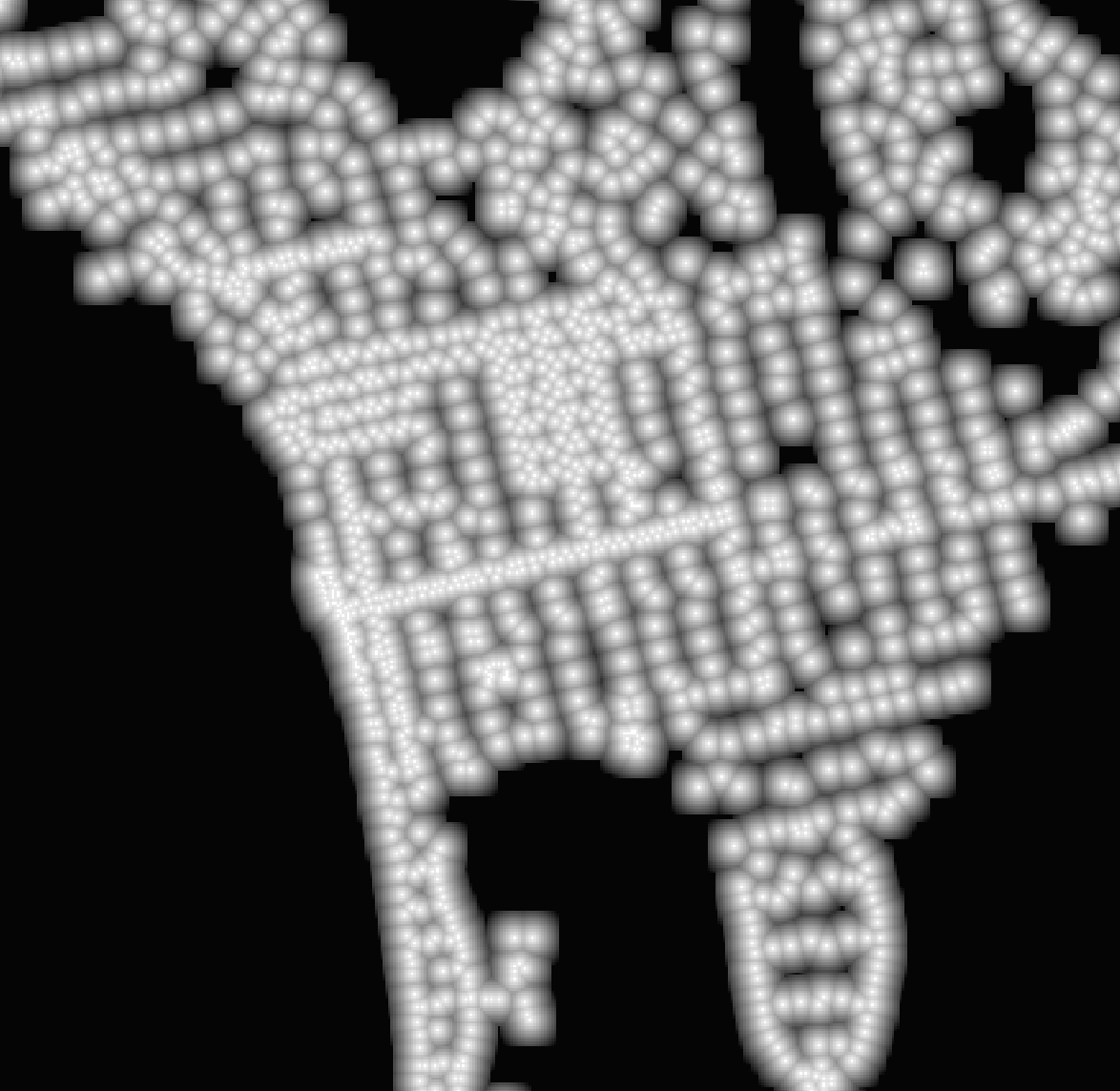
What if you got really creative with data visualization and represented the street lights of La Jolla and Pacific Beach with the balloons that are used to make animals? It might like like this: An image of a dataset showing the distance, in centimeters, to the nearest street lamp. An image of a dataset showing the distance, in centimeters, to the nearest street lamp.   This image is actually from a dataset I’ve created showing, for every 10m^2 area of the City of San Diego, how far the point in the middle of the area is from a street lamp. The image is colored so white is 0m and black is about 141m from the lamp. We’ll be using this data in our Crime Analysis Project to explore the connect between street lamps and crime.

Continue Reading →

New Data Repository Released

Today we are releasing an update to our data repository, at /dataset/. This release is based on CKAN 2.1, the same software used to run Data.Gov, one of the largest data sites in the world. The software is more capable than the older version, and it is much more attractive, with better visual design and organization.

Continue Reading →

Six Years of Crime Data

Today we are releasing the processed version of six years of San Diego County crime data. We received this data last month from SANDAG, and have augmented the source data with city and and neighborhood codes. The data is released as both CSV and ESRI Shape files with one file per year. To download the data, visit our data repository. Be sure to read the documentation by expanding the pull-down bar at the top of the page. The improvements of this dataset over the original SANDAG data release include:

Continue Reading →

Civic Hacking for the Greater Good!

Use your hacking skills for a better San Diego! Open San Diego, San Diego Code For America Brigade, Cali IT2, and OpenGeo are sponsoring a Civic Day of Hacking. The San Diego Regional Data Library will be presenting many of our datasets and running a crime analysis project, so join us if you’d like to learn how to use Python and QGIS to work with crime, census and infrastructure data. See the Code for San Diego website for more information.

Continue Reading →

Worse than Singing about Economics: Inappropriate Visualizations

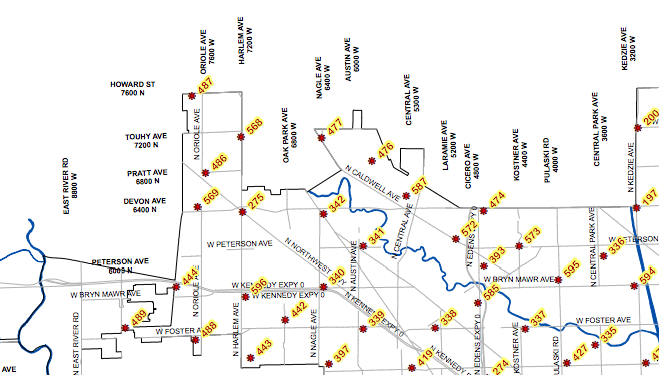
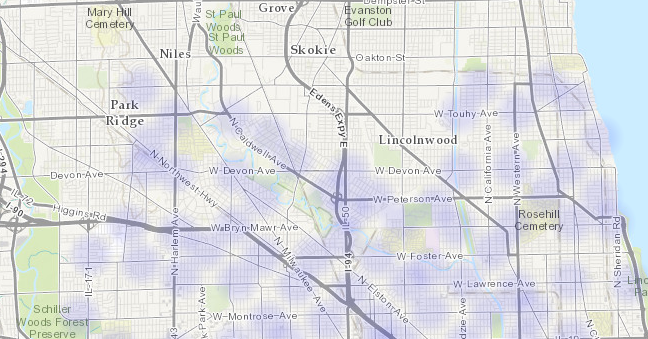
Of the many versions of the famous quote that “writing about music is like dancing about architecture” is that “writing about music is as illogical as singing about economics.” Both of these activities are actually quite common. Dancing about architecture is a sport of irony, and not only are there songs about economics, the appropriately named Merle Hazard has dedicated a career to it. There is even a stand up economist, who is quite funny, if you can understand the jokes. I propose that the next version of the quote involve something that actually is ridiculous and should not be done, inappropriate visualizations, of which I think I have found an excellent example: a heatmap of benchmarks. Benchmarks are the metal medallions that surveyors place in sidewalks and mountain tops to provide a repeatable location for surveying. They are stamped with numbers and named, and if you are surveying, it is important to know where they are so you can easily find them. It is natural, then, to want a map of their locations: Portion of benchmark map for Chicago. Portion of benchmark map for Chicago.   While you might want to know where the benchmarks are located, it is highly unlikely that you would every want to know the areal density of benchmarks. There is probably no one who has asked what part of the city has the most benchmarks per square meter. No one cares what is the probability of finding a benchmark when they look down. And yet, the Chicago data repository has a heatmap of benchmarks: Heatmap of Chicago benchmarks. Heatmap of Chicago benchmarks.   This map is generated by Socarata, the software that Chicago uses for it’s data repository, so it was probably very easy to create. It’s possible that a user happened to look as the base datafile, clicked on a button to create the heatmap, and the software automatically made it available to the public. Regardless, this presentation, and others like it, is useless, and it clutters up the repository, obscuring the data that people actually want. This is why our organization has “Library” in the name: I want to emphasize that there should be a person, a librarian, who talks to users and then makes decisions about how to present the data collection. It’s the difference between a well ordered research library and a pile of books in a warehouse. We’re not there yet ( our repository is a bit of a mess, sorry ) but that is the goal.

Continue Reading →

Crime at Street Segments

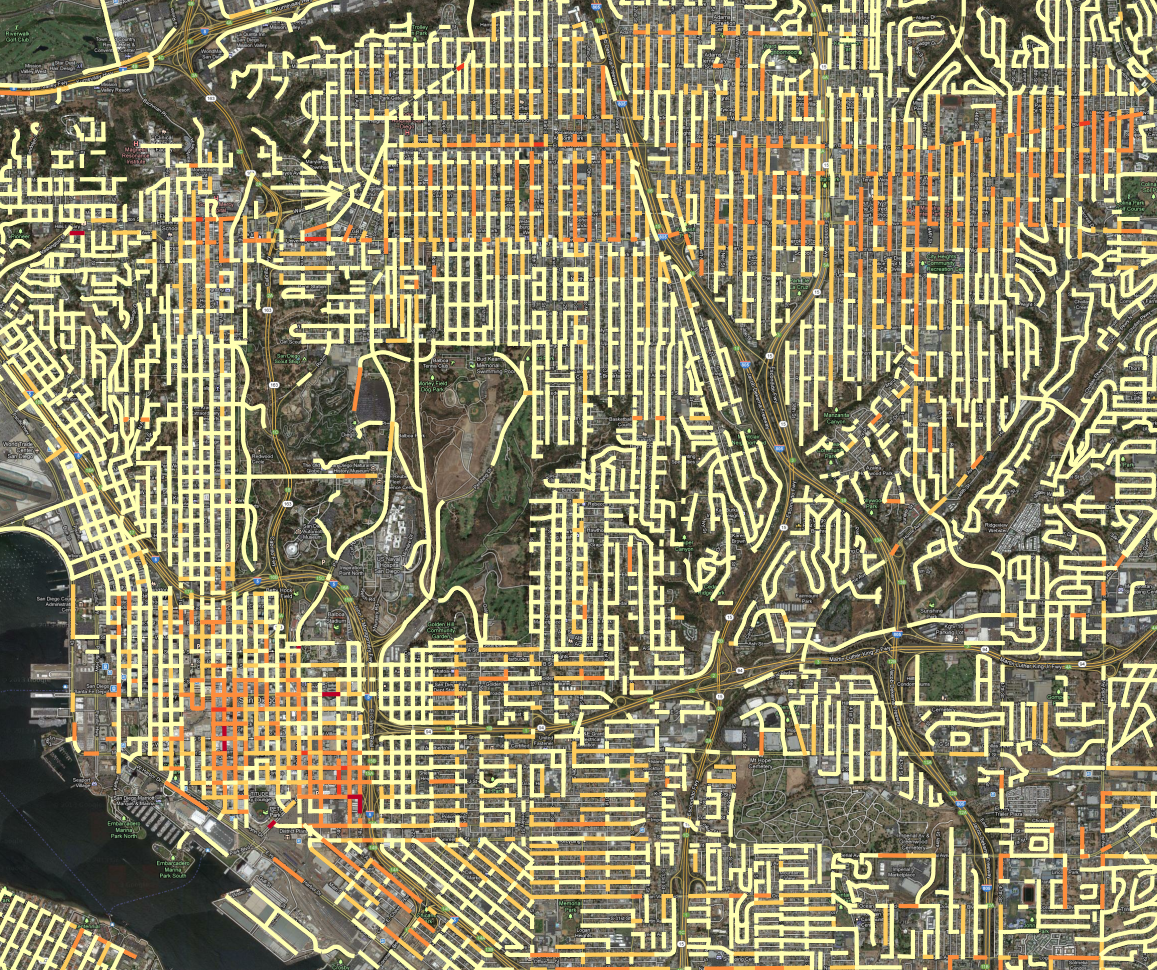
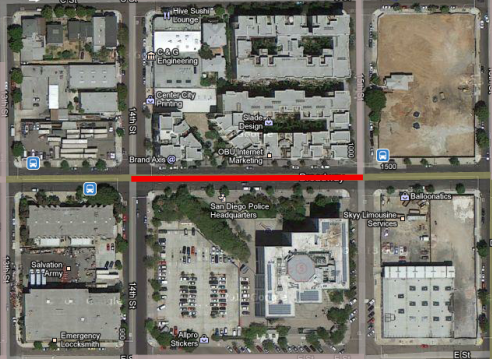
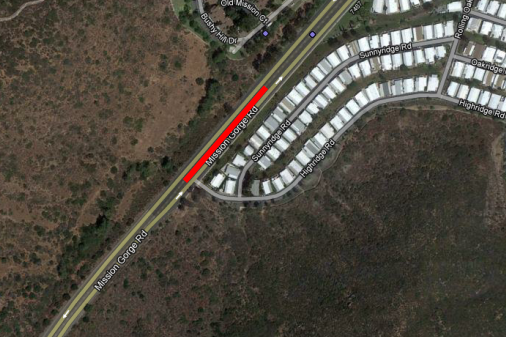
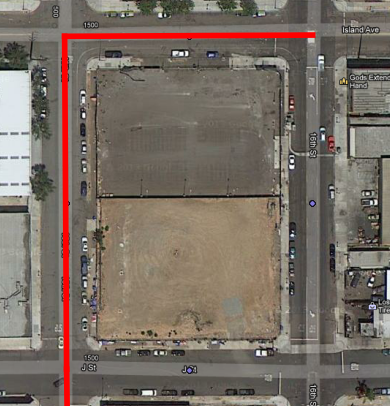
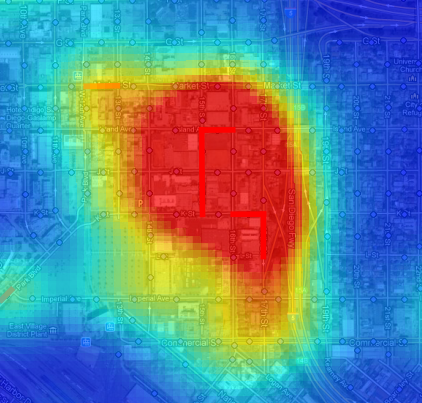
A few weeks ago, we received crime incident data from SANDAG for the years from 2007 to March of 2013. The data has the location of the crime listed as a “hundred block,” so a crime at 1435 Main street would be listed at 1400 Main. Since we don’t know where the crime occurred on the block - we don’t know the exact address - it makes sense to attribute the crime to the whole block. I just finished an initial pass at geocoding crimes to street segments, using the All_Roads file from SANGIS and lot of custom Python code. Here are the results: All crime incidents for 2007 to 2013, colored according to linear density on the street segment. All crime incidents for 2007 to 2013, colored according to linear density on the street segment. In this map, all of the crime incidents for the 6 year period are counted, grouped by the block where the crime occurred. Then, the counts are divided by the length of the street segment and the time period, so the final value is Crime per year per kilometer. Then, the range of values is broken into 5 groups, using the Jenks natural breaks. ( Using head/tail breaks would require more programming ) I tweaked the breaks manually to put more segments into the top category. This presentation has an advantage over the previous maps we’d created, using Kernel Density Estimation to produce heatmaps: it is easier to see where high-crime blocks are. For instance, lets look at the red block east of downtown, due south of Balboa park. A crack house, perhaps? Police Station PM Nope, it is the Police station. It is very common for crimes to have their address set to the police station if it isn’t clear what an appropriate address would be, such as for a car chase or someone caught in a canyon, like in this hotspot in Mission Gorge: Mission Gorge   It isn’t likely that the particular segment of road gets a lot of crimes, and the criminals probably don’t live in the mobile home park. That segment of road probably contains the address number that is used for crime committed in Mission Gorge, it maybe it is where the cops like to park to patrol the canyon. Here is a real hotspot, an empty lot that seems to be popular for drug use: Downtown Drug Lot Compare this to the heatmap view, zoomed out to show the contour of the hotspot: Drug Area Heatmap The heatmap works better at small scales, because you can quickly assess an entire region. At large scales, the street segment view can help isolate what a likely cause of the problem is, which can obscured by the large regions of the heatmap hotspots. The heat map also encourages a subtle psychological bias: the larger areas seem more significant, because our brains place a lot of emphasis on size. But in the segment map, the segments are viewed discretely, as qualities, not extents. So, it is easier to pay attention to unusual high intensity blocks which pop up because they are bright red, but which in the heatmap get ignored because they are small. We’re not quite ready to publish the processed crime data, but should have it released, along with both kinds of maps, in the next week.

Continue Reading →